

_PNG.png)
Geomagic for SOLIDWORKS
Integrated Scan-to-CAD Inside SOLIDWORKS
Bring scan data into SOLIDWORKS and rebuild measured parts as native, editable CAD within the existing design workflow.
Software, Training & Application Support from CAMS Across Canada & North America
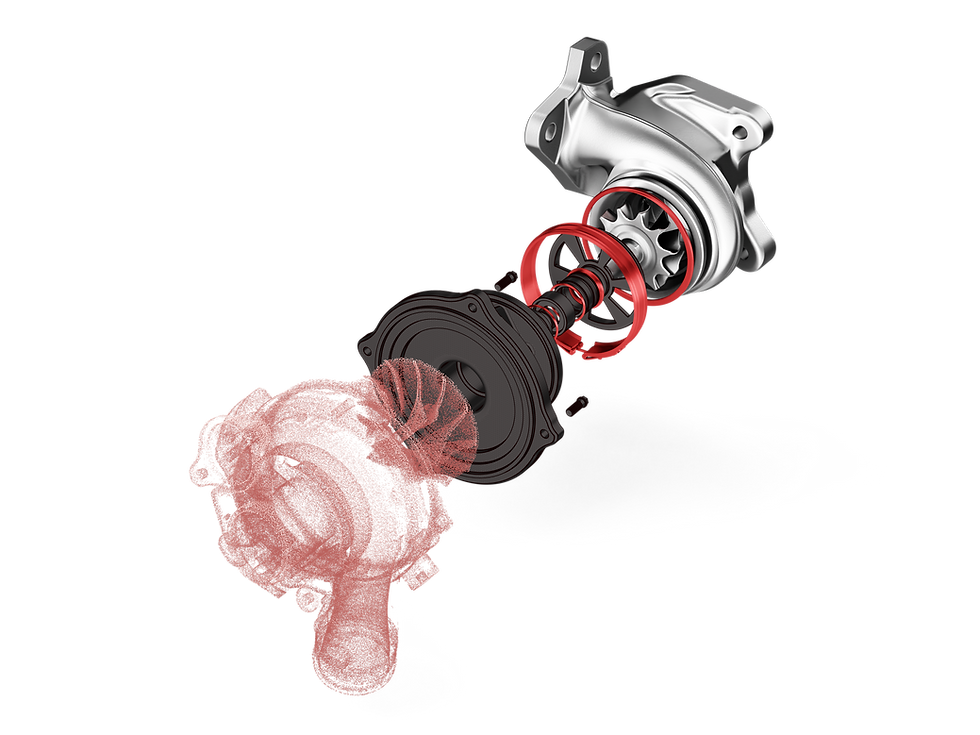
REVERSE ENGINEER DIRECTLY IN SOLIDWORKS
Geomagic for SOLIDWORKS adds scan-data processing and reverse-engineering tools directly to the SOLIDWORKS environment. Users can import measured geometry or scan directly with supported hardware, clean and align the data, then create sketches, surfaces and feature-based solid models without moving the project into a separate CAD application.
It fits teams that already work in SOLIDWORKS and need physical geometry to become part of the normal engineering process: recreating legacy components, documenting modifications, designing around existing equipment, converting prototypes to CAD or rebuilding complex measured surfaces.
SCAN-TO-SOLIDWORKS APPLICATIONS
Image Title

EXPLORE RELATED SOFTWARE
BEST FIT FOR TEAMS ALREADY WORKING IN SOLIDWORKS
The main advantage is avoiding a separate reverse-engineering CAD handoff. The scan stays inside the SOLIDWORKS environment while replacement parts, fixtures, adapters, enclosures or geometry around existing equipment are rebuilt as native features.
Once the required geometry is reconstructed, the model can continue into assemblies, drawings, simulation and manufacturing using the same SOLIDWORKS workflow. Deviation analysis can also be used to check the rebuilt model against the measured data before the project moves downstream.


